A private Apple workspace.
Work offline and keep your standalone Traverce workspace synchronized across your Apple devices through iCloud.
Traverce Capture for iPhone and iPad
Capture tasks and thoughts by voice or text, turn longer ideas into clear next steps, and choose what matters most today.
From thought to focused action
Catch a thought before it disappears, review where it belongs, and bring the right next step into a focused daily plan.
Quick Capture
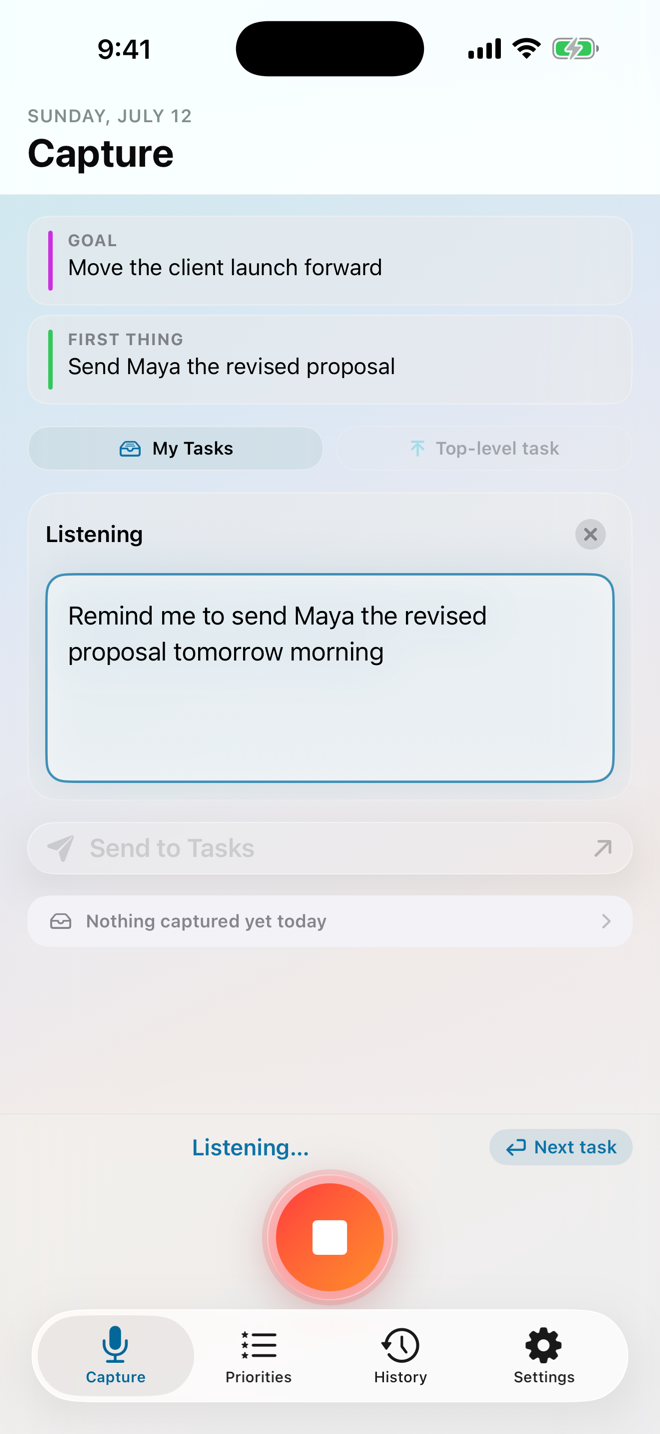
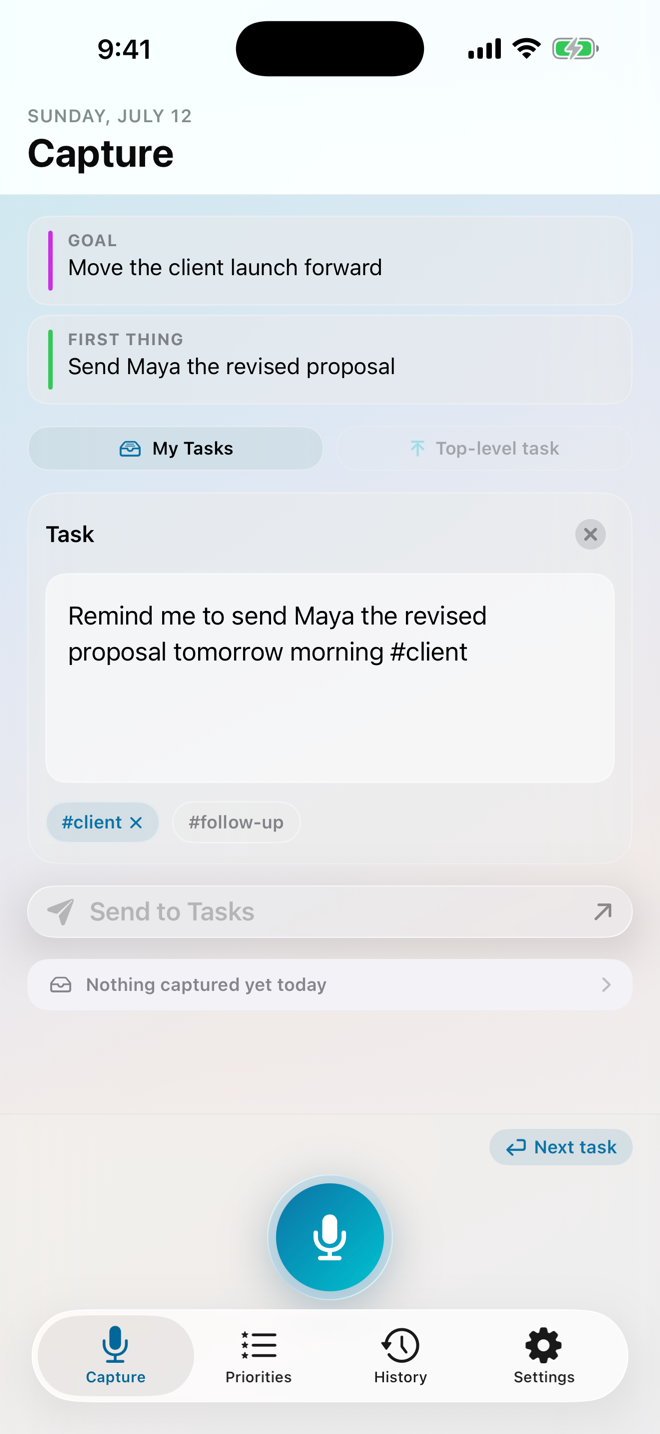
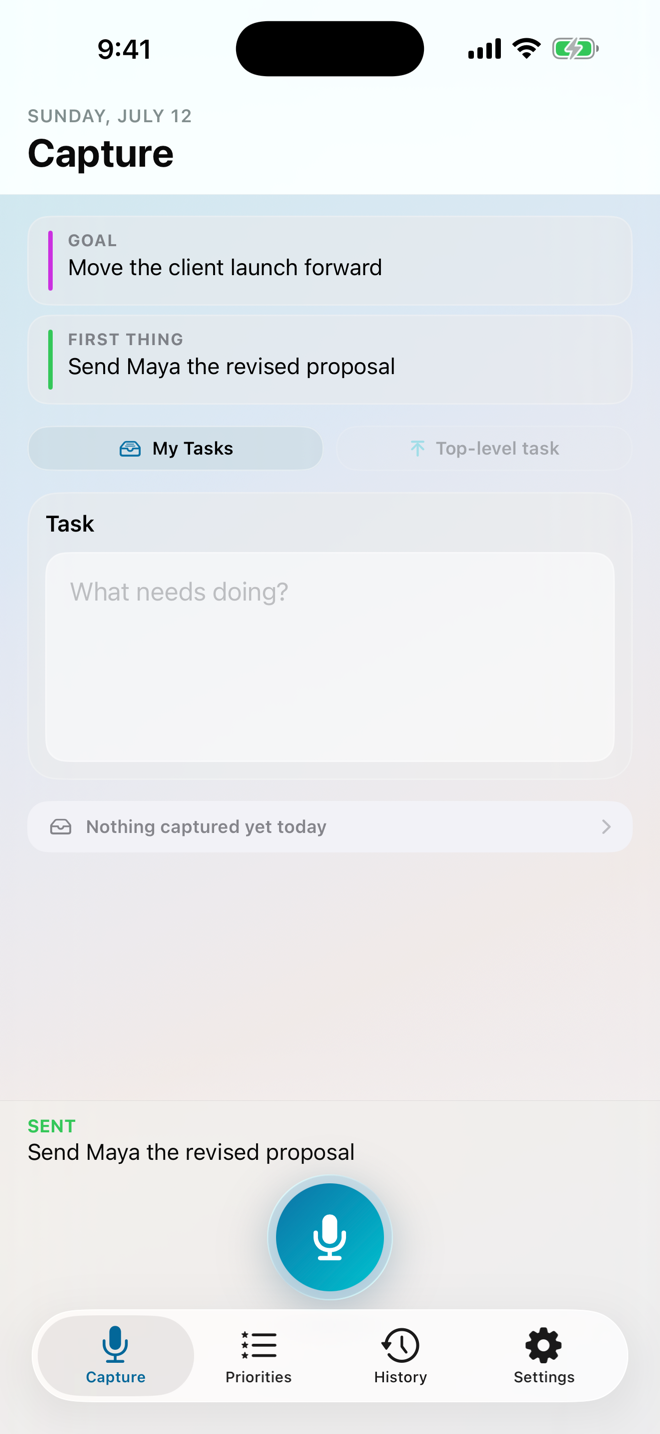
Speak naturally, type quietly, or move between both. Traverce turns your words into an editable task, recognizes everyday dates such as “next Friday,” and lets you choose exactly where it belongs before saving.
Start Date: when you plan to begin. The task shows up on your Plan that day. Due Date: when it has to be done. Traverce keeps it in view so it never sneaks up on you. Say “pay rent by Friday” for a due date, “call the vet tomorrow” for a start date, or both at once.
Meet Meander
Some thoughts do not arrive as tidy to-do items. A Meander turns a longer voice or text capture into separate, editable suggestions. Change the wording, add dates and tags, combine or split ideas, and remove anything you do not need. Your original words remain available while you review, and nothing is saved until you approve it.
Recording or typing a long thought is always free. Clean Up—turning it into editable task suggestions—is part of Traverce Capture Pro.
Morning Ritual
Clear your head, connect the day to a larger goal, and name one concrete Goal Step. Then choose your Push Point—the task where focused attention could bring the most clarity, progress, or meaning—and add the other priorities that should stay visible.
Your Push Point does not have to be the hardest task, come first, or be completed today. Meaningful attention is enough.
The Morning Ritual is free, permanently. There is no trial, and nothing in the Plan tab expires.
Full task management
Create lists for different parts of life, keep notes and dates with the work, and break larger tasks into smaller connected steps. Search, filter, sort, complete, reopen, copy, share, or reschedule without losing the wider context.
The Traverce Tasks calendar
Your dated tasks appear on a calendar called Traverce Tasks, in Google Calendar or in your iCloud calendars, depending on where your tasks live. Drag one into a time slot and Traverce saves that time on the task. Tasks carried over from earlier days show on today and say so. Tasks stay in Traverce: the calendar never adds, finishes, or deletes one, and its events never alert.
Reminders and alarms Pro
Say “remind me to take the bins out at 6pm tomorrow” and Traverce makes it a reminder that arrives at 6pm. Reminders live in your lists beside everything else, can be completed or pushed back from the notification itself, and repeat on the same schedules any task can, for free.
A few things cannot be missed at all. Mark one to ring through Silent and Focus and it arrives as an alarm rather than a notification.
Every task can carry a date and a time for free, and that time is always shown on the task. Traverce Capture Pro is what makes it reach you at that moment.
Capture from anywhere
Start from the app, a Home Screen or Lock Screen widget, Siri, Spotlight, Shortcuts, or the Action Button. Share a webpage to save its title and link as a task without copying and pasting.
Traverce saves only the webpage title and address you choose to share—not the contents of the page.
Your workspace, your choice
Both options give you the same Capture experience—every free and Traverce Capture Pro feature works the same in either one. Your choice determines where tasks synchronize and whether you want a connected desktop workflow.
Work offline and keep your standalone Traverce workspace synchronized across your Apple devices through iCloud.
Use your Google Tasks lists in Capture, then connect the Traverce Extension for a larger desktop planning surface. Keep more than one Google account on the same phone and switch between them in a tap.
Explore the Extension →History and reliability
Return to an interrupted draft, keep offline changes waiting safely, and retry anything that could not be saved. Capture History lets you search earlier entries, review what was saved, and undo a recent save. Your twenty most recent captures are always visible; Traverce Capture Pro opens your complete history and lets you bring an old idea back for another pass.
Personal Insights Pro
Notice capture trends, your balance of voice and typed input, and your Morning Ritual rhythm. Insights stay on your device and never include task titles, notes, or transcripts.
Free and Traverce Capture Pro
Traverce Capture is fully usable without a purchase. Traverce Capture Pro is one purchase—no subscription—and it opens the deeper organizing and planning tools.
A lifetime purchase tied to your Apple Account, with Family Sharing. Supported speech recognition and intelligent cleanup run on-device whenever available.
Privacy by design
No ads. No cross-app or cross-website tracking. No sale of personal information. You choose what to capture, where tasks live, and how optional speech services are handled.
Read the Privacy PolicyFrequently asked questions
For setup help and more detailed answers, visit Traverce Support. To see what changed in recent versions, read the release notes.
No. Speak, type, or use both. Every capture can be reviewed and edited before it becomes a task.
A Meander is a longer voice or text capture for a thought that is not organized yet. Traverce turns it into editable task suggestions, and nothing is saved until you approve it. Clean Up, which creates the suggestions, is part of Traverce Capture Pro.
You choose a standalone Traverce workspace that syncs across your Apple devices through iCloud, or connect Google Tasks.
Yes. You can keep capturing and managing tasks without a connection. Changes wait safely and catch up when you reconnect.
When Google Tasks is your workspace, the Traverce Extension gives you a connected planning experience in Chrome.
A start date is when you plan to begin. The task shows up on your Plan that day. A due date is when it has to be done, and Traverce keeps it in view so it never sneaks up on you. A task can have either one, both, or neither. Moving your work forward to another day changes the start date, never the due date.
Yes. Capturing is unlimited, in either workspace, from Siri, Spotlight, Shortcuts, the Action Button, Share, and the Capture Task widget—and your twenty most recent captures stay visible. The whole Plan tab and the full Morning Ritual are free too, permanently. Traverce Capture Pro is one purchase—no subscription—that adds reminders and alarms, Clean Up, multi-task capture, automatic hashtag routing, your complete history, Personal Insights, advanced widgets, and more.
No. The Morning Ritual is free, permanently—braindump, Today's Goal, Goal Step, Push Point, your other priorities, and the rollover of whatever you did not choose. There is no trial and nothing expires. The one optional Pro action inside it is Clean Up on the braindump, which you can simply skip.
No. It is a one-time purchase tied to your Apple Account, with Family Sharing. You can restore it on a new device from Settings, as long as that device is signed in to the same Apple Account.
No. Traverce has no advertising, does not track you across other companies’ apps or websites, and does not sell your personal information.
Capture quickly. Plan calmly.
Traverce gives every thought a quick way in—and gives you a calmer way to decide what happens next.
Get Traverce CaptureSee what's new →