From capture to clarity

Direction for today.
Momentum for what matters.

Traverce helps you capture what is on your mind, shape it into clear next steps, and decide where your attention belongs today.

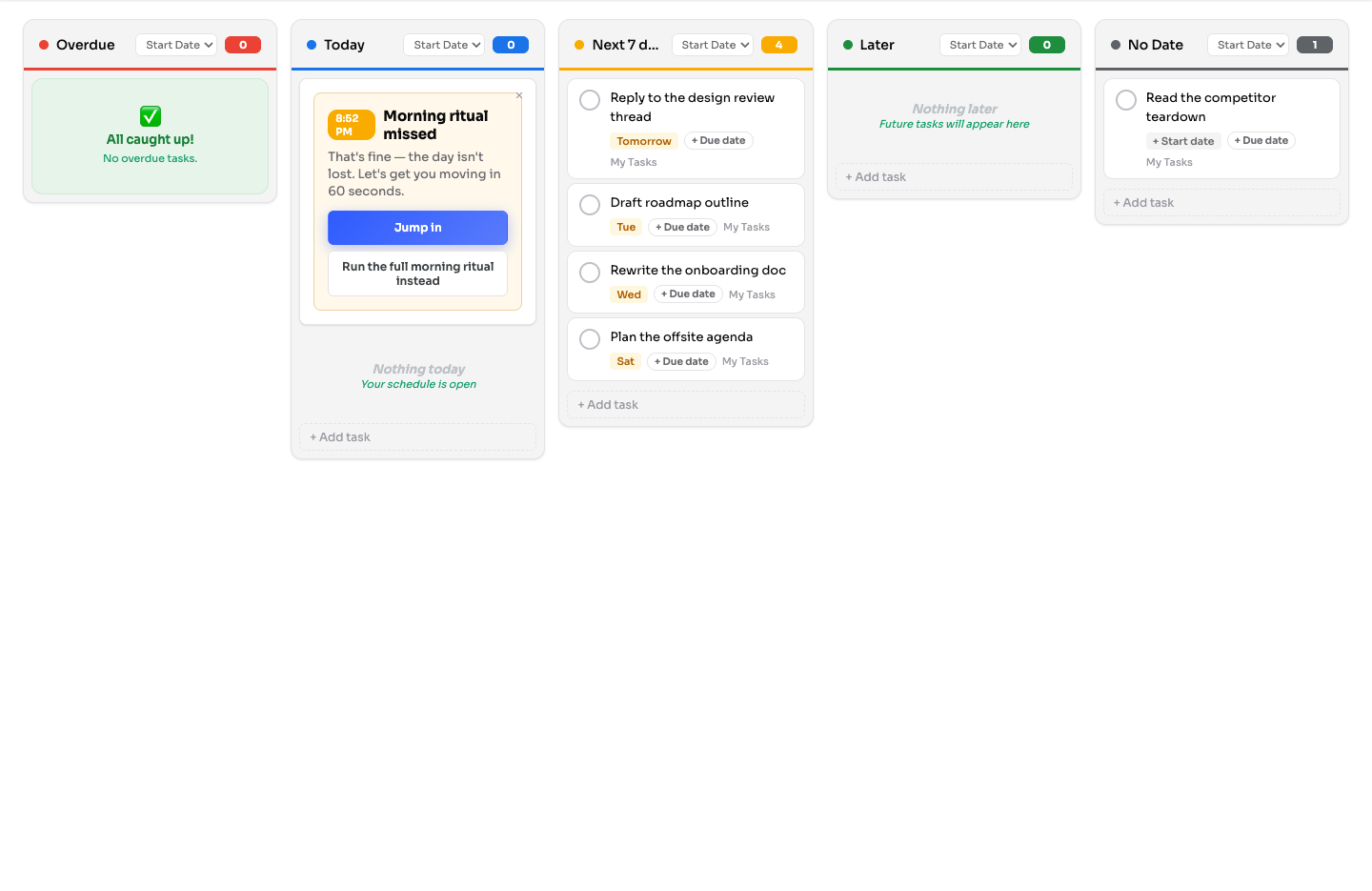
Traverce Extension arranging Google Tasks across a visual planning board
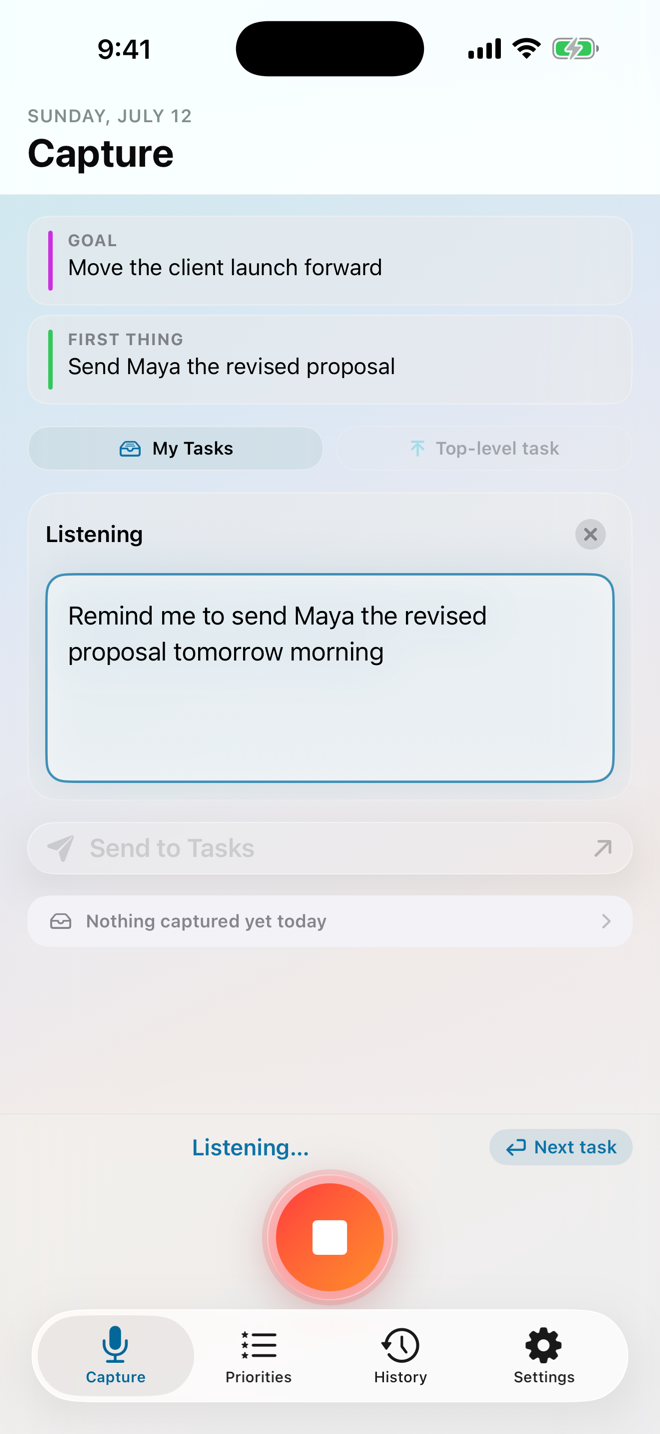
Traverce Capture listening to a thought on iPhone

One Traverce story

Capture freely. Organize thoughtfully. Move forward with clarity.

Thoughts rarely arrive in perfect order, and a full task list does not always reveal what matters. Traverce supports the whole journey—from first thought to meaningful action—so what matters keeps moving forward.

Calm guidance. Clear choices. Deliberate attention.

A simple path forward

From a busy mind to a plan you can act on.

01Capture

Speak, type, or share what is on your mind before it disappears.

02Organize

Shape quick thoughts or longer ideas into clear, useful next steps.

03Plan

Connect the day to a goal and choose the Push Point where attention will matter most.

04Act

Keep your direction visible while you work, with the wider plan still within reach.

Two complete products. One way forward.

Choose the Traverce experience that fits where you work.

Capture and the Extension each stand on their own. When Capture uses Google Tasks, they can also become one connected workflow across mobile and desktop.

Capture · iPhone and iPadCapture thoughts, organize full task lists, and build a focused daily plan with iCloud or Google Tasks.
Extension · ChromeTurn Google Tasks into a calm visual planning space with daily direction and deliberate focus.

Use either product independently. Pair them only when Google Tasks is the workspace that fits your life.

01 · IPHONE + IPAD

Traverce Capture

From a busy mind
to a clear plan.

Speak it, type it, or share it. Capture gives every thought a calm place to land—then helps you decide what deserves your attention today.

  • Capture anywhereUse the app, widgets, Siri, Shortcuts, or the share sheet.
  • Shape the detailsAdd dates, hashtags, notes, subtasks, and longer thoughts with Meander.
  • Choose your workspaceKeep things private in iCloud or connect Capture to Google Tasks.

CaptureThought in. Clear next step out.
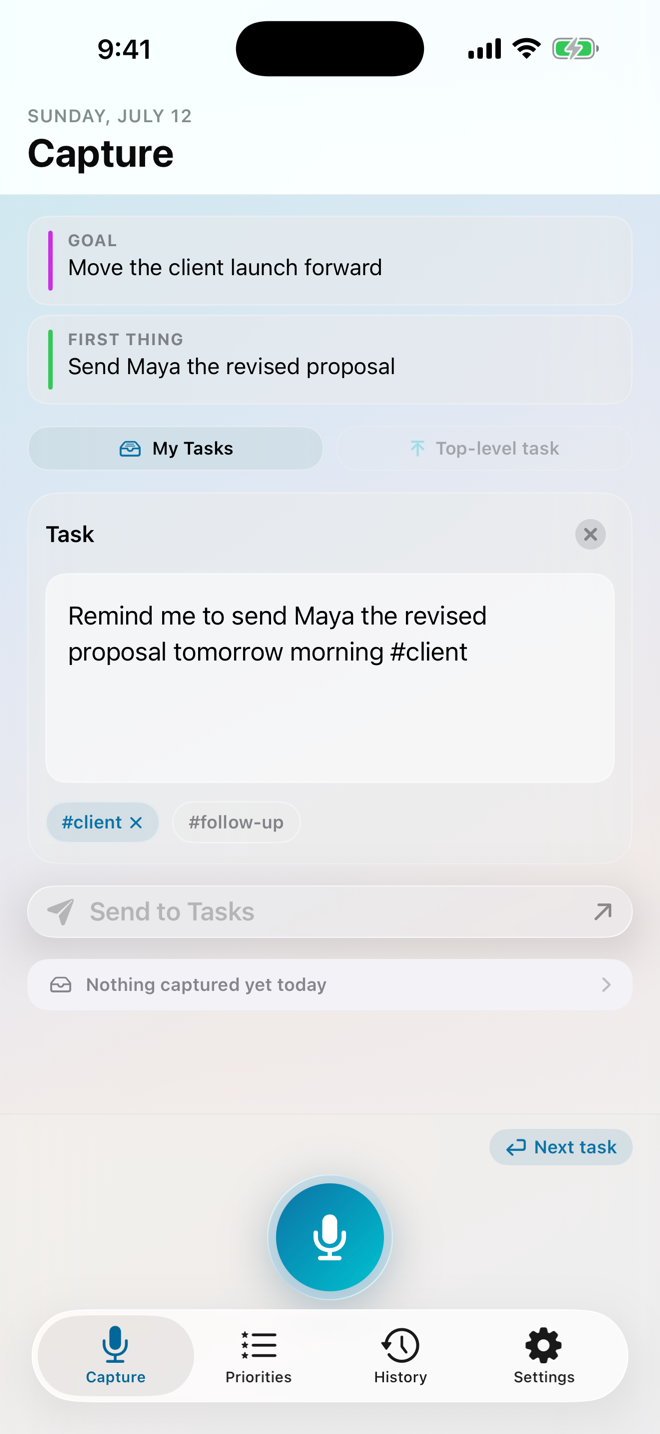
An editable Traverce Capture task ready for review
02 · CHROME + GOOGLE TASKS

Traverce Extension

See the work ahead. Choose what matters today.

Give Google Tasks more room for visual planning, a guided Morning Ritual, and one clear Push Point.

  • See Overdue, Today, Next 7 Days, Later, and No Date together.
  • Choose Today's Goal, a Goal Step, and the task deserving deliberate attention.
  • Return to your direction from the full board or compact panel.
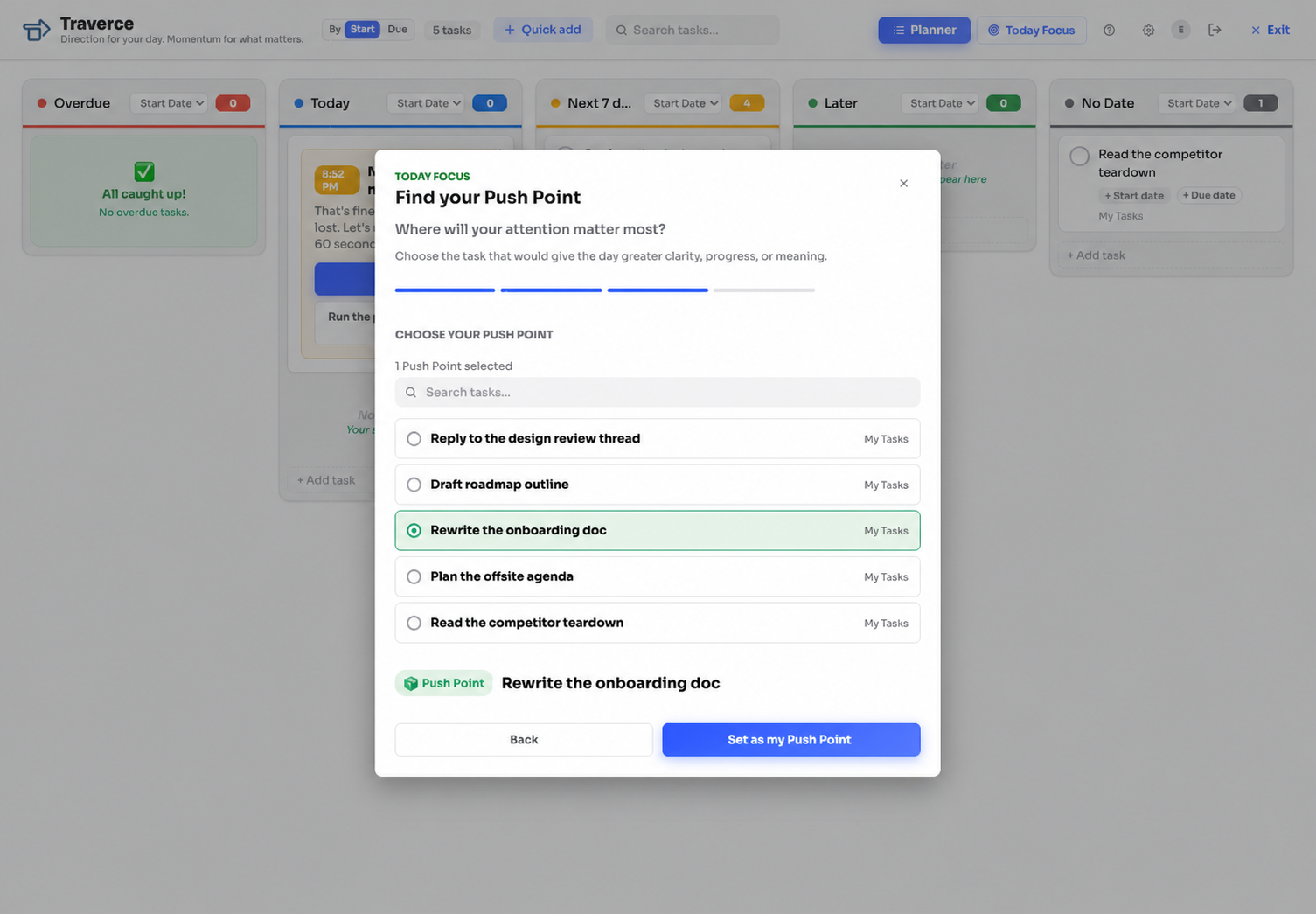
The Traverce Morning Ritual inviting a Push Point selection

A shared daily practice

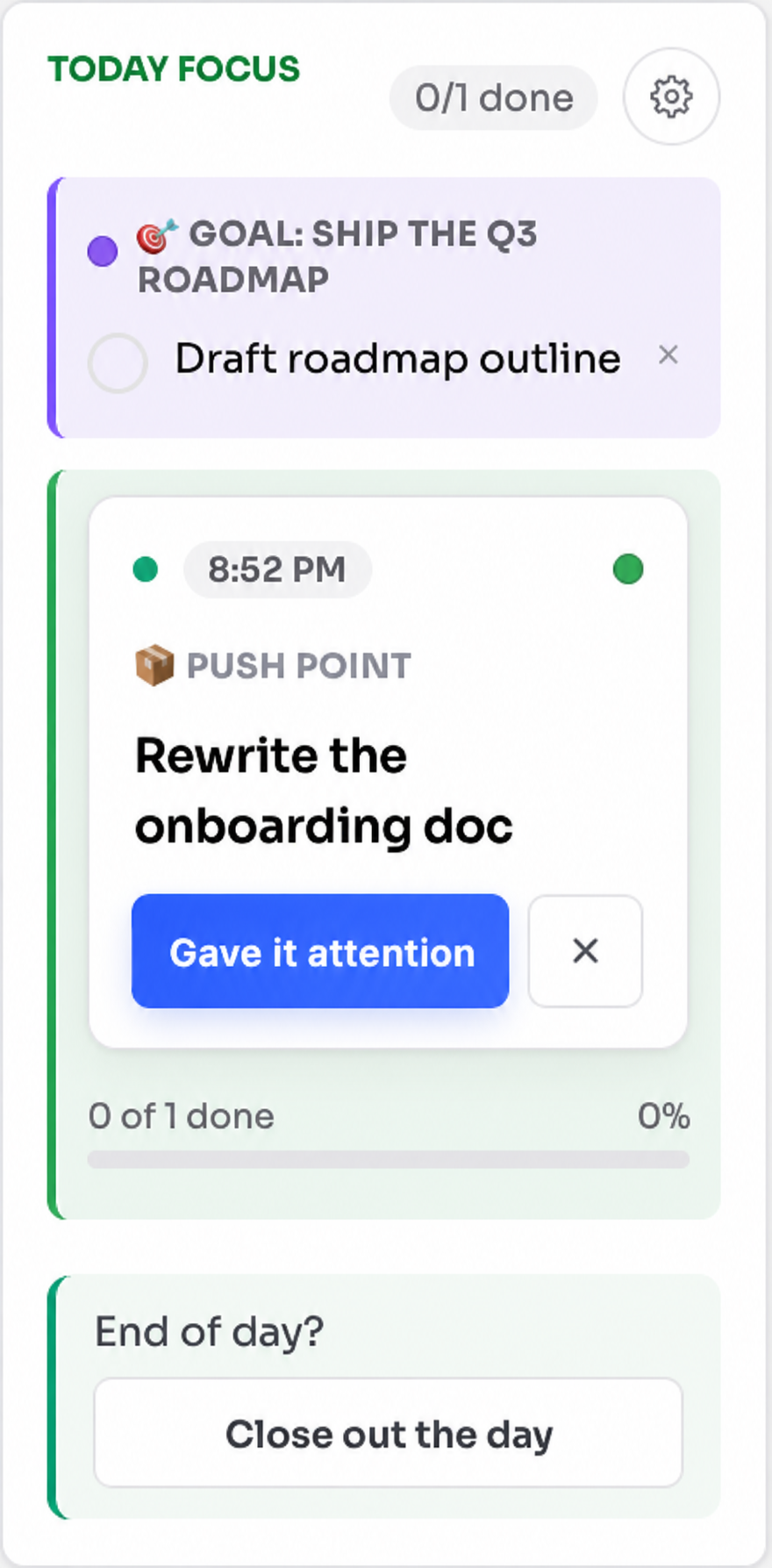
Set a direction. Choose your Push Point. Give what matters your attention.

The Morning Ritual helps you decide what the day is serving, name a concrete Goal Step, and choose one task where focused attention could bring clarity, progress, or meaning. It does not have to be the hardest task, come first, or be finished today. Meaningful attention is enough.

Today Focus keeping a daily goal and Push Point visible

Capture to clarity. Clarity to attention.

Give every thought a way forward.

Start with Capture on iPhone and iPad, plan with the Extension in Chrome, or use both through Google Tasks.